Why Does Bluetooth Audio Have a Delay?
Bluetooth audio lag comes from encoding, buffering, wireless transmission and device processing—not slow radio waves. Games and live audio make the delay especially easy to notice.
You press a button in a game, see the action happen, and hear the sound a fraction of a second later. Or someone’s lips move on a TV before their voice reaches your Bluetooth headphones.
The wireless signal itself travels extremely fast. The noticeable delay comes from everything that happens before, during and after that transmission.
Bluetooth audio has to be prepared, compressed, packaged, transmitted, buffered, decoded and processed before the headphones can turn it into sound. Each stage takes a little time. Stack those delays together and the result is latency.
That is also why Bluetooth can feel perfectly normal for music yet frustratingly slow for gaming. The same delay affects Bluetooth headphones, true wireless earbuds and speakers; how noticeable it feels depends on the device, app and what you are doing.
Why Bluetooth Headphones and Earbuds Have Audio Lag
A wired analog connection has a comparatively direct job: carry an electrical audio signal from one device to another.
Bluetooth audio follows a longer route.
When your phone, computer or TV produces audio, the signal may first pass through the operating system’s audio pipeline. It is then prepared for wireless transmission and encoded into a compressed format.
The Bluetooth radio sends that data to your headphones or speaker. The receiving device collects it, decodes it and may perform additional digital signal processing before the speaker drivers finally produce sound.
A simplified path looks like this:
App → audio processing → encoding → buffering → Bluetooth transmission → receiving buffer → decoding → headphone processing → sound
None of those stages is instantaneous.
Android’s technical documentation, for example, identifies applications, buffers and additional digital signal processing as contributors to overall audio latency. Larger or more numerous buffers can make playback more reliable, but they also increase delay.
The lag you notice is therefore not one single “Bluetooth delay.” It is the accumulated delay of an entire audio system.
Buffering Is One of the Main Reasons the Sound Doesn’t Arrive Instantly
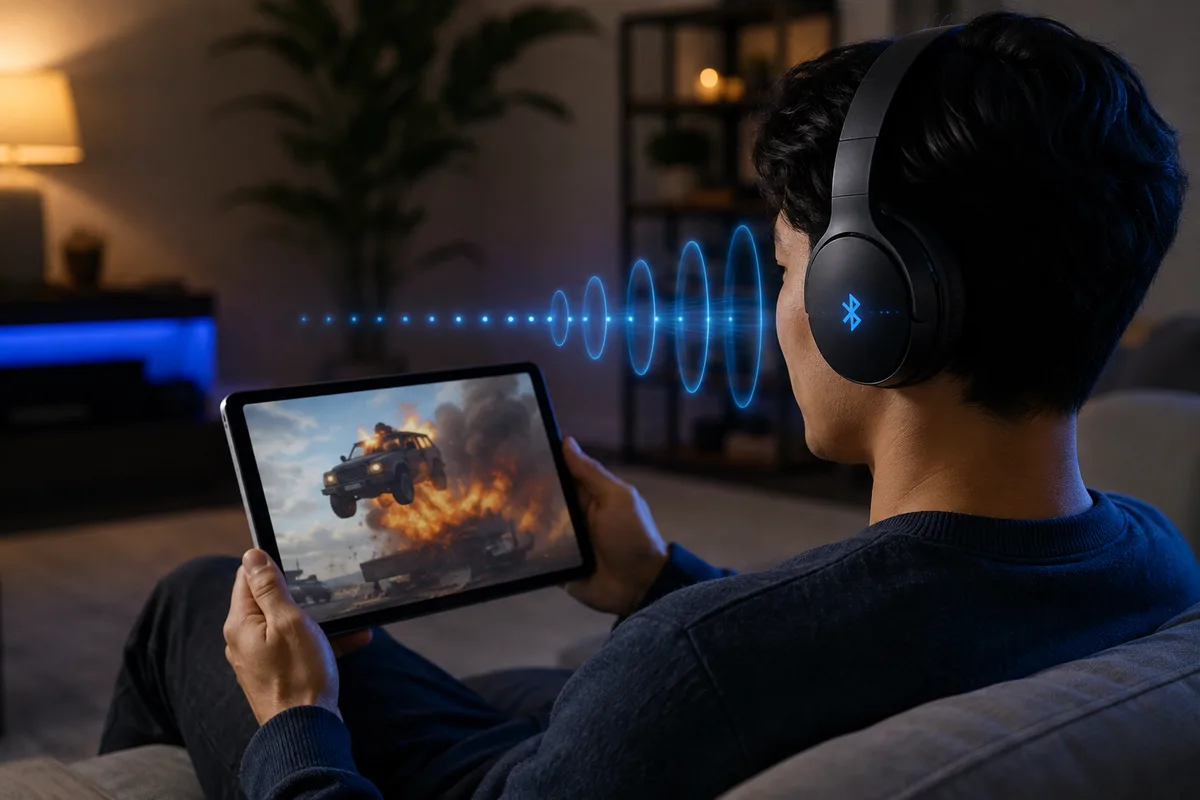
Wireless connections are not perfectly predictable.
Radio interference, temporary signal weakness and scheduling differences can disrupt the steady arrival of audio packets. If headphones tried to play each packet the instant it arrived, tiny interruptions could become audible as clicks, gaps or dropouts.
A buffer helps prevent that.
Instead of immediately playing newly received audio, the device keeps a small amount of data ready in advance. If one packet arrives slightly late, playback can continue using data that is already waiting.
That makes the audio more stable.
But it also means you are deliberately listening slightly behind real time.
This creates one of the fundamental compromises in wireless audio:
More buffering can improve reliability, while less buffering can reduce latency.
Bluetooth’s current low-latency specifications reflect exactly this trade-off. Some configurations prioritize minimum delay, while others allow more retransmission opportunities to improve reliability at the cost of additional latency.
There is no universally perfect setting. A pair of earbuds designed for a crowded train may benefit from greater protection against dropouts, while a gaming headset may prioritize speed.
The Codec Matters, but It Isn’t the Whole Story
Bluetooth audio codecs receive a lot of attention whenever latency comes up.
A codec is the system that encodes audio for transmission and decodes it at the receiving end.
Different Bluetooth products may use technologies such as SBC, AAC, vendor-specific codecs or newer LE Audio configurations. The codec can influence how much data needs to be processed and how long encoding and decoding take.
But blaming the codec for the entire delay is misleading.
Even a fast codec still sits inside a larger system containing:
- operating-system audio processing,
- audio buffers,
- Bluetooth transport,
- possible packet retransmissions,
- decoding,
- digital signal processing,
- and the final audio hardware.
Two devices using what appears to be similar Bluetooth technology can therefore produce noticeably different latency.
The implementation matters.
So does the device on the other end of the connection.
Does a Better Bluetooth Codec Always Mean Lower Latency?
Not necessarily.
A codec can influence latency because audio has to be encoded before transmission and decoded again inside the headphones. Some codecs and Bluetooth audio configurations are designed with lower-delay use cases in mind.
But the codec is only one part of the chain.
A device can support a theoretically fast codec and still have noticeable lag because of:
- large audio buffers,
- operating-system processing,
- signal processing inside the headphones,
- retransmissions,
- application behavior,
- or the way the manufacturer configured the Bluetooth connection.
This is why simply seeing “AAC,” “LC3” or another codec name on a product page does not tell you exactly how much latency you will experience.
Bluetooth LE Audio introduces the LC3 codec and uses LE Isochronous Channels, which are designed to support more tightly timed audio delivery than traditional Bluetooth Classic Audio. That can help reduce delay.
But even LE Audio does not guarantee identical latency on every phone, computer, TV or pair of earbuds.
The full source-to-ear implementation still matters.
Why Bluetooth Version Numbers Don’t Tell You the Delay
A common shopping assumption goes something like this:
Bluetooth 5.4 must have less audio delay than Bluetooth 5.0.
It is not that simple.
The Bluetooth version printed on a specifications page describes the Bluetooth capabilities available to the product. It does not tell you the complete audio path that the manufacturer implemented.
A newer Bluetooth device may still use an audio configuration with noticeable buffering or processing. An older product designed specifically for low-latency use may feel faster in a particular application.
For audio delay, the useful questions are broader:
Which audio system is being used? Which codec or configuration is active? Does the source device support it too? How much buffering is involved? What processing does the headset perform afterward?
The Bluetooth logo and version number alone cannot answer those questions.
A useful way to think about it is this:
Bluetooth version tells you what the platform can support. It does not tell you how the manufacturer chose to build the audio system.
For example, Bluetooth LE Audio became possible through features introduced with Bluetooth Core 5.2, including LE Isochronous Channels.
But a device advertising Bluetooth 5.2, 5.3 or 5.4 does not automatically mean it is using LE Audio for the connection you are currently listening to.
The phone, headphones, operating system and active audio profile all have to support and negotiate the relevant features.
So when comparing products for gaming or other latency-sensitive use, “Bluetooth 5.x” by itself is a poor predictor of real-world delay.
Why You Often Don’t Notice the Delay With Music
Bluetooth latency can exist without bothering you.
Music is the easiest example.
Once a song begins, there is usually no visual event against which your brain can compare the sound. If the entire song reaches your headphones slightly later than it would through a wired connection, nothing appears wrong.
The beat is still internally consistent.
The vocals still line up with the instruments.
You simply hear the whole performance a little later.
The situation changes as soon as the sound has to match something happening elsewhere.
That is when latency becomes visible—or, more accurately, audible.
How Much Bluetooth Delay Is Noticeable?
There is no single number at which everyone suddenly notices audio latency.
Sensitivity depends heavily on the task.
A delay that is almost irrelevant while listening to music may become obvious when:
- watching a person’s lips,
- tapping a virtual piano key,
- firing a weapon in a game,
- monitoring your own voice,
- or playing a rhythm game.
Human perception is particularly sensitive when there is a clear event that lets the brain compare what it sees or does with what it hears.
That is why quoting one latency number without explaining the use case can be misleading.
For ordinary music listening, consistency often matters more than absolute delay.
For interactive audio, every additional part of the pipeline becomes much more important.
Why Videos Can Look Perfectly Synchronized
If Bluetooth audio is delayed, why can movies and YouTube videos often look completely normal?
Because a predictable delay can be compensated for.
With prerecorded video, software can hold back the picture so that it appears at the same moment as the delayed Bluetooth audio.
Bluetooth audio systems even include mechanisms designed around managing presentation timing and latency. Modern specifications explicitly account for different latency requirements depending on the use case.
This creates a clever illusion.
The headphones are still delayed.
The video has simply waited for them.
That is why switching between a phone speaker and Bluetooth earbuds may not produce an obvious lip-sync problem in a well-designed video app.
It also explains why the same headphones can suddenly feel much slower in a game.
Gaming Exposes the Delay
A movie already knows what frame comes next.
A game does not.
The image on your screen changes in response to what you do. Press a button and the game tries to show the result as quickly as possible.
Suppose the game delayed every visual action just to wait for Bluetooth audio.
Your button presses would now feel delayed too.
That would solve one problem by creating a worse one.
So games often expose wireless audio latency much more clearly than prerecorded video.
Fire a weapon and the muzzle flash may appear before the gunshot reaches your headphones. Hit an object and the impact sound may arrive just after the animation. Rhythm games can make even relatively small timing differences feel disruptive because sound and input are part of the gameplay itself.
The headphones did not suddenly become slower.
The game simply removed the opportunity to hide the delay.
Games hide many technical processes from the player in the same way. Curiworld also explains what is actually happening during a video game loading screen.
Why Is Bluetooth Delay Worse in Games Than on YouTube or Netflix?
The headphones may not actually be producing more latency.
The difference is that prerecorded video has a way to hide it.
A video app already knows which frame and sound are coming next. If Bluetooth audio is expected to arrive late, the app can delay the picture so that the two appear synchronized.
Games cannot use the same trick so easily.
The next image depends on what the player does.
If a game delayed the picture by another 100 or 200 milliseconds just to match Bluetooth audio, the controls would also feel slower.
That would be especially noticeable in:
- shooters,
- rhythm games,
- fighting games,
- racing games,
- and competitive multiplayer titles.
So a pair of earbuds can appear perfectly synchronized while watching a movie and then suddenly feel “laggy” as soon as you start playing a game.
The hardware did not necessarily change.
The application’s ability to compensate did.
Calls and Live Audio Can Reveal It Too
Live communication creates a similar problem.
A prerecorded movie can be shifted in time. A live conversation cannot be fully pre-buffered without delaying the conversation itself.
The same applies to recording music, monitoring a microphone or playing a digital instrument.
If you sing into a microphone and hear your own voice back through headphones noticeably later, even a modest delay can feel unnatural because your brain already knows exactly when the sound was produced.
This is why audio professionals care so much about latency even when ordinary music listeners may never notice it.
For highly timing-sensitive work, a direct wired connection is still attractive because it removes much of the wireless encoding, buffering and transport chain.
Does Noise Cancellation Add More Delay?
Potentially, although the effect depends heavily on the device.
Modern wireless headphones do much more than receive Bluetooth packets.
They may run:
- active noise cancellation,
- transparency processing,
- equalization,
- spatial audio,
- head tracking,
- hearing enhancement,
- volume normalization,
- or other digital effects.
These processes can require additional computation.
Android’s audio documentation specifically identifies processing after the application processor, including DSP activity, as a possible contributor to latency.
Manufacturers can design these systems to operate very quickly, so turning off noise cancellation will not necessarily produce an obvious improvement on every pair of headphones.
Still, if you are troubleshooting unexplained latency, comparing playback with optional processing features enabled and disabled can reveal whether they are part of the problem.
The same caution applies to other sound-processing features.
Spatial audio, virtual surround, head tracking, equalization, hearing enhancement and other DSP features may add processing somewhere in the audio chain.
That does not mean every feature creates a noticeable delay. Modern processors can perform many operations extremely quickly.
But if latency becomes noticeably worse only after a particular feature is enabled, temporarily switching that feature off is a useful troubleshooting test.
The key is to distinguish Bluetooth transport latency from extra processing added before or after the wireless transmission.
What Is “Game Mode” Actually Doing?
Many wireless earbuds now include a low-latency or gaming mode.
Wireless earbuds can also divide radio, microphone and processing work unevenly between the left and right sides. If one side consistently runs out first, see why one earbud can die faster than the other.
It is not removing the laws of physics.
Instead, the device can change how aggressively it prioritizes speed. That may involve smaller buffers, different transmission behavior, reduced processing or another low-latency configuration supported by the manufacturer.
The price of reducing the safety margin can be lower resistance to interference or changes in power consumption.
Bluetooth’s own specifications recognize this relationship. Low-latency configurations can use fewer opportunities for retransmission, while more reliability-oriented configurations accept additional delay to make audio delivery more robust.
A gaming mode can therefore genuinely help.
It just cannot guarantee zero latency.
What About Bluetooth LE Audio?
Bluetooth LE Audio introduces a newer architecture for wireless audio and uses the LC3 codec rather than simply reproducing the traditional Classic Audio system.
Bluetooth SIG’s current specifications include low-latency Quality of Service configurations for LE Audio, allowing designers to make deliberate trade-offs between latency, robustness and wireless coexistence.
That is promising for applications where timing matters.
But “LE Audio” still should not be interpreted as “instant audio.”
The complete device implementation continues to matter: the source, operating system, buffers, wireless conditions, decoding and headphone processing all contribute to what the listener eventually experiences.
Newer technology can reduce latency without making latency disappear.
Why Moving Closer Sometimes Helps—and Sometimes Doesn’t
If your headphones work normally but always have the same small delay, moving your phone closer probably will not eliminate it.
That baseline latency is built into the audio pipeline.
Distance becomes more relevant when the connection is unstable.
A weak or congested wireless environment can make reliable packet delivery harder. Systems may use buffering and retransmission strategies to protect the audio stream. Bluetooth’s specifications explicitly balance latency against reliability in different configurations.
So there are really two problems people often call “Bluetooth lag.”
One is stable latency: the sound consistently arrives late.
The other is connection instability: sound stutters, pauses or falls unpredictably out of sync.
Getting closer may improve the second problem without meaningfully changing the first.
How to Reduce Bluetooth Headphone and Earbud Delay
Often, yes. Completely eliminating it is harder.
If your headphones or earbuds include a low-latency or game mode, that is the most obvious setting to test.
Game mode usually works by reducing buffering or changing the wireless audio configuration so that sound is delivered sooner.
The trade-off is that reducing the safety margin can sometimes make the connection less tolerant of interference or packet loss.
That is why a low-latency mode may occasionally behave differently in a crowded wireless environment than the normal listening mode.
It is not simply a “faster Bluetooth” switch.
It is often a different compromise between responsiveness and reliability.
Check that both the playback device and headphones support the audio technology you expect to use. Wireless audio is a two-device conversation; support on only one side is not enough.
Software and firmware updates can also matter because manufacturers control significant parts of the audio pipeline.
If optional spatial or audio-enhancement features are active, temporarily disabling them can help identify whether additional processing is contributing to the problem.
For television, an A/V sync, lip-sync or audio-delay adjustment may compensate for a consistent delay.
Keep in mind that an A/V sync setting usually does not remove Bluetooth latency itself.
It changes when the video or another audio path is presented so that the delay becomes less noticeable.
This works well when the latency is stable.
It is much less useful when the connection is stuttering or the delay keeps changing.
For competitive gaming, live monitoring or music performance, however, compensation may not be enough. A wired connection or a purpose-built low-latency wireless system can remain the more predictable choice when immediate response matters more than convenience.
A Quick Way to Identify the Source of Bluetooth Lag
| What you notice | More likely explanation |
|---|---|
| Music sounds normal, but games feel delayed | Normal Bluetooth latency becoming noticeable in an interactive app |
| Video lips are out of sync on every app | A/V synchronization or unusually high system latency |
| Audio cuts out as well as arriving late | Connection instability or interference |
| Delay improves when game mode is enabled | Buffering or latency configuration was contributing |
| Delay appears only with spatial audio or another effect | Additional audio processing may be involved |
| Wired headphones solve the problem immediately | The wireless audio path is likely a major contributor |
The Delay Is the Price of Doing a Lot of Work Invisibly
Bluetooth headphones can make wireless audio feel effortless, which hides how much is happening between pressing Play and hearing sound.
Audio has to move through software, buffers, encoding, radio transmission, decoding and often additional signal processing before it reaches your ears.
That chain is designed not only for speed but also for stable playback, good sound, battery life and resistance to wireless interference.
Those goals sometimes compete.
Music makes the delay easy to ignore. Video can often hide it. Gaming and live audio expose it.
So the next time a Bluetooth gunshot arrives a fraction too late, the radio signal is probably not lazily traveling through the room.
Your devices are doing a remarkable amount of work before they let you hear it.
Sources
Android Open Source Project — Contributors to Audio Latency
Android Developers — Contributors to Audio Latency





Join the discussion