Why Do Video Games Have Loading Screens? What Is Actually Happening
Loading screens hide a complex process: games read assets from storage, decompress them, load dependencies, prepare memory and build the next scene before handing control back to you.

You open a door.
The screen fades to black.
A logo appears in the corner.
A progress bar crawls forward.
Then, several seconds later, an entirely new world appears.
It is easy to describe that pause by saying:
“The game is loading.”
Technically, that is true.
But a modern loading screen can hide a surprisingly complicated chain of work.
During a loading screen, a game may be finding asset files on storage, reading them into memory, decompressing them, resolving dependencies, preparing textures and geometry, loading scripts and saved-state data, initializing parts of the level, and moving graphics data into memory where the GPU can use it.
The screen exists because some of that work cannot finish instantly.
A Game Cannot Keep Everything Loaded at Once
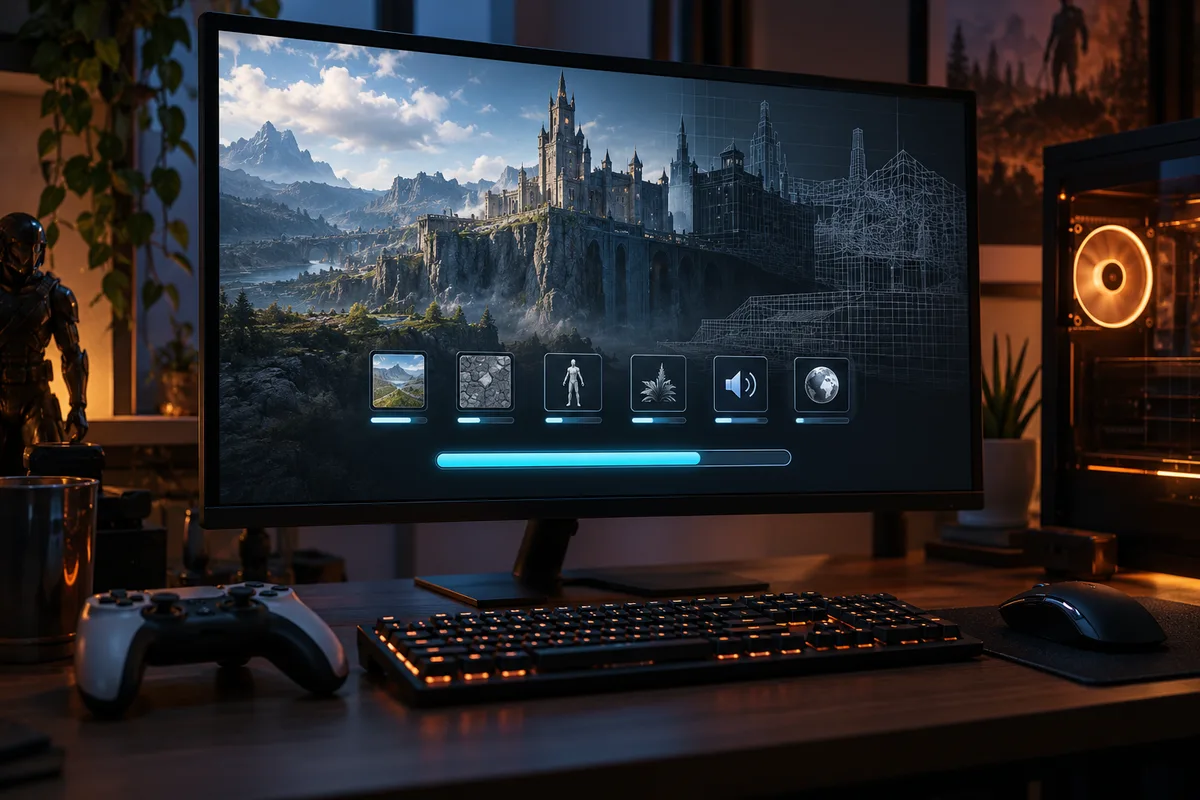
Modern games can contain enormous amounts of data:
- high-resolution textures,
- character models,
- animations,
- audio,
- maps,
- lighting data,
- physics information,
- scripts,
- cutscenes,
- interface assets,
- and thousands of smaller objects.
A game might occupy 100 GB or more on storage.
That does not mean all 100 GB can—or should—sit in active memory at the same time.
Your computer or console has limited RAM.
The graphics system has limited memory available for textures, geometry, render targets, and other GPU resources.
So games load what they need.
Then they unload what they no longer need.
That movement between storage and memory is one of the main reasons loading exists at all.
Loading Is Really a Pipeline
It helps to stop thinking of loading as one action.
A simplified version looks more like this:
Storage → read data → decompress → organize dependencies → place data in RAM → prepare graphics resources → move needed data to GPU memory → initialize the scene → let the player in
Different engines and games organize this differently, but the principle is the same.
A file existing on an SSD does not mean the game can instantly use it.
The data still has to travel through several stages before it becomes a character, wall, sound effect, or landscape on your screen.
First, the Game Has to Find the Right Assets
A level rarely consists of one giant file.
It may depend on hundreds or thousands of assets.
Imagine entering a city area.
The game may need:
- road meshes,
- building models,
- street textures,
- traffic sounds,
- character animations,
- enemy data,
- lighting information,
- particle effects,
- dialogue,
- interface elements,
- and scripts controlling missions.
Game engines therefore keep track of dependencies.
If the city level requires a particular material, and that material requires several textures, those files must be available too.
Unity’s Addressables system, for example, documents that loading an asset includes gathering its dependencies and loading the required bundles into memory.
So part of “loading” is simply making sure all the pieces needed by the next scene are present.
Then the Data Has to Come Off Storage
The game now requests data from the storage device.
On an older hard drive, this step could be painfully slow.
Mechanical drives physically move a read head across spinning platters.
That makes thousands of small, scattered reads expensive.
SSDs remove that mechanical movement and can deliver data much faster.
NVMe SSDs are faster again because they can handle much higher throughput and many more simultaneous requests.
This is one reason newer systems often have dramatically shorter loading screens.
But storage speed is only one part of the process.
Why Doesn’t an SSD Eliminate Loading Screens Completely?
Because reading the file is not the same as finishing the load.
Once data comes off storage, it may still need to be:
- decompressed,
- parsed,
- copied,
- converted into usable engine objects,
- uploaded to graphics memory,
- connected to other assets,
- and initialized.
Microsoft’s DirectStorage documentation highlights exactly this problem.
Game assets are frequently stored in compressed form to save disk space.
Before they can be used, they must be decompressed.
Traditionally, much of that work has involved the CPU.
Modern DirectStorage systems can reduce overhead and, in some cases, move decompression work toward the GPU.
So a faster SSD helps enormously.
But it cannot automatically make every other stage disappear.
Why Are Game Files Compressed in the First Place?
Because games would be even larger without compression.
Textures, audio, geometry, and other asset data can consume huge amounts of storage.
Compression reduces installation size and decreases how much data has to be transferred from storage.
The tradeoff is that the compressed data must be unpacked before it can be used.
That creates an interesting balance:
less data to read, but more work to decode it.
Modern loading technology tries to make that process as parallel as possible.
The goal is not simply “read faster.”
It is:
read, decompress, transfer, and prepare many things at the same time.
Some Assets Go Into RAM, Others Need the GPU
RAM and graphics memory do different jobs.
A game may keep:
- gameplay state,
- scripts,
- AI information,
- object data,
- navigation information,
- and many general resources
in system memory.
Meanwhile, textures, meshes, and other graphics resources often need to be available to the GPU.
That does not mean every asset has one simple permanent location.
Modern engines constantly move and manage resources depending on what the game needs.
But conceptually, a loading screen often exists while the engine prepares enough CPU-side and GPU-side data for the next scene to function correctly.
The Level Itself Has to Be Initialized
Loading the files is not the end.
The game may now need to create the actual world.
Objects have to be instantiated.
Scripts have to start.
Physics bodies may need initialization.
AI systems may need navigation information.
Characters need spawn locations.
Mission state may need to be restored.
Audio systems may load the correct banks.
The game may also need to apply your save data.
Did you already open that door?
Is this enemy dead?
Which quest is active?
Which items are in your inventory?
The scene you enter is not always just a static map.
It is often a map plus the current state of your particular game.
Why Do Some Loading Bars Get Stuck at 90%?
Because a loading percentage does not always represent a simple byte counter.
The first 80% may correspond to reading files.
The last 20% may involve initialization tasks that are harder to predict.
One step may finish in milliseconds.
Another may take several seconds.
A game may also deliberately weight different tasks in the progress display.
So a bar that races to 90% and then pauses does not necessarily mean the game “stopped loading.”
It may simply have moved from predictable file transfer into slower scene setup.
Why Can a Game Load in the Background Instead?
Because modern engines can load data asynchronously.
Instead of freezing the main gameplay thread until an asset arrives, the engine can request resources and continue doing other work.
Unreal Engine’s documentation explicitly supports asynchronous asset loading for this reason: a synchronous load can block the main thread long enough to create a noticeable stall, while asynchronous loading lets the request proceed without stopping everything else.
Unity supports similar asynchronous scene and asset loading.
This is how many games replace obvious loading screens with something less noticeable.
Open-World Games Are Loading Almost Constantly
In an open-world game, you can sometimes travel for hours without seeing a traditional loading screen.
That does not mean loading stopped.
It means the game is streaming.
As you move forward, the engine can load upcoming:
- terrain,
- buildings,
- textures,
- vegetation,
- enemies,
- sounds,
- and objects.
At the same time, areas far behind you can be unloaded.
Microsoft describes this distinction clearly with DirectStorage: the same type of asset movement that once occurred mainly during loading screens can also happen continuously while a player moves through an open world.
The trick is staying ahead of the player.
This Is Why Some Games Use Elevators, Tunnels, and Long Corridors
Sometimes a loading screen is hidden inside game design.
You enter an elevator.
The doors close.
You wait.
You walk through a narrow tunnel.
You slowly squeeze between two rocks.
A character starts a long conversation while you move through a corridor.
These sequences can serve storytelling and level-design purposes.
But they can also give the engine time to prepare the next area.
The player remains inside the game instead of staring at a black screen.
Not every elevator is secretly a loading trick.
But transitions like these are useful because they limit how quickly the player can reach the next space.
That gives streaming more time to finish.
Why Can Fast Travel Still Cause a Loading Screen?
Because fast travel removes that time.
When you walk across a world, the engine has seconds or minutes to load things gradually.
When you teleport from one end of the map to the other, the game suddenly needs an entirely different set of assets.
The old region may have to be removed.
The destination region may have to be loaded almost immediately.
That creates a natural loading boundary.
Fast travel is therefore one of the places where even highly streamed open-world games still show a loading screen.
What Is Shader Compilation?
Sometimes the slowdown is not traditional asset loading at all.
Modern graphics use small programs called shaders to determine how materials, lighting, shadows, effects, and many other visual features are rendered.
Those shaders may need to be compiled into a form the graphics hardware can execute.
If compilation happens before gameplay, the player may wait longer at startup.
If it happens during gameplay, the result can be stutter.
That is why some PC games display messages such as:
Compiling shaders
before reaching the main menu.
The game is trying to do expensive preparation now so it does not have to interrupt gameplay later.
Why Does a Game Sometimes Stutter Instead of Showing a Loading Screen?
Because the game may be loading while you are playing.
Asset streaming is a tradeoff.
Hide too much loading behind gameplay and the player may experience:
- frame-time spikes,
- texture pop-in,
- objects appearing late,
- brief freezes,
- audio delays,
- or traversal stutter.
A traditional loading screen is ugly but predictable.
Background streaming feels seamless when it works well—but when it falls behind, you can see the machinery.
Texture Pop-In Is Often Loading You Can See
You enter a new area.
A wall appears blurry.
Half a second later, it becomes sharp.
That is texture streaming.
The game had enough information to show the wall, but the highest-resolution texture data had not arrived yet.
Instead of stopping gameplay until everything was perfect, the engine displayed a lower-detail version first.
Then it upgraded the texture when the better data became available.
This is essentially the same problem as a loading screen, just solved differently.
Why Do Older Games Have More Obvious Loading Screens?
Older hardware had tighter limits.
Hard drives were slower.
RAM was smaller.
Graphics memory was smaller.
CPU resources were more limited.
Asset streaming systems were less capable.
Game worlds were therefore often divided into clearer sections.
Enter a door.
Load the next map.
Finish a mission.
Load the next map.
Modern hardware makes those boundaries easier to hide.
That does not mean the underlying need disappeared.
The same data still has to get where it needs to go.
Loading Screens Can Also Be a Design Choice
Not every loading screen exists because the hardware absolutely requires a black screen.
Sometimes developers choose one because it creates a clean transition.
A loading screen can:
- reset the player’s attention,
- display gameplay tips,
- show artwork,
- summarize objectives,
- hide scene changes,
- or prevent the player from seeing unfinished intermediate states.
A seamless transition is impressive.
It is not always automatically better.
Sometimes a brief controlled pause is preferable to stutter, pop-in, broken animations, or seeing the next world assemble around you.
Games Often Hide Their Technical Limits
Loading screens belong to a larger family of tricks.
Games constantly create the illusion of a complete world while carefully controlling what is actually active.
Curiworld has explored a related technique in why video games use invisible walls.
An invisible wall controls where you can go.
A loading system controls what needs to exist when you get there.
Both help the game spend resources only where they matter.
What Is Actually Happening Behind the Loading Screen?
The exact process depends on the game, but a typical loading phase may involve:
- identifying the next level or scene,
- finding required asset files,
- reading data from storage,
- decompressing compressed assets,
- loading dependencies,
- allocating memory,
- preparing textures and geometry,
- transferring graphics resources where the GPU can use them,
- loading scripts and gameplay systems,
- restoring save-state information,
- initializing objects, physics, AI, and audio,
- and finally activating the scene.
That is a lot of work hidden behind a spinning icon.
The Bottom Line
A loading screen is not just the game “waiting.”
It is usually the visible pause while data is being transformed from files on storage into a functioning interactive world.
Modern hardware has made this process much faster.
Modern engines have learned to hide more of it through asynchronous loading and streaming.
But the fundamental problem remains:
A game cannot instantly have every possible asset ready in active memory at all times.
Something has to be loaded.
Something has to be unloaded.
Something has to be decompressed and prepared.
And when the game cannot hide that work while you play, you get the familiar message:
Loading…
Sources
Epic Games — Asynchronous Asset Loading in Unreal Engine
Unity — Addressables LoadAssetAsync Documentation
Microsoft DirectX Developer Blog — DirectStorage 1.1 and GPU Decompression









Join the discussion