Why Does Wi-Fi Slow Down When the Microwave Is On?
Your microwave is not stealing your internet. It can interfere with 2.4 GHz Wi-Fi, forcing devices to resend data and making the connection feel much slower.
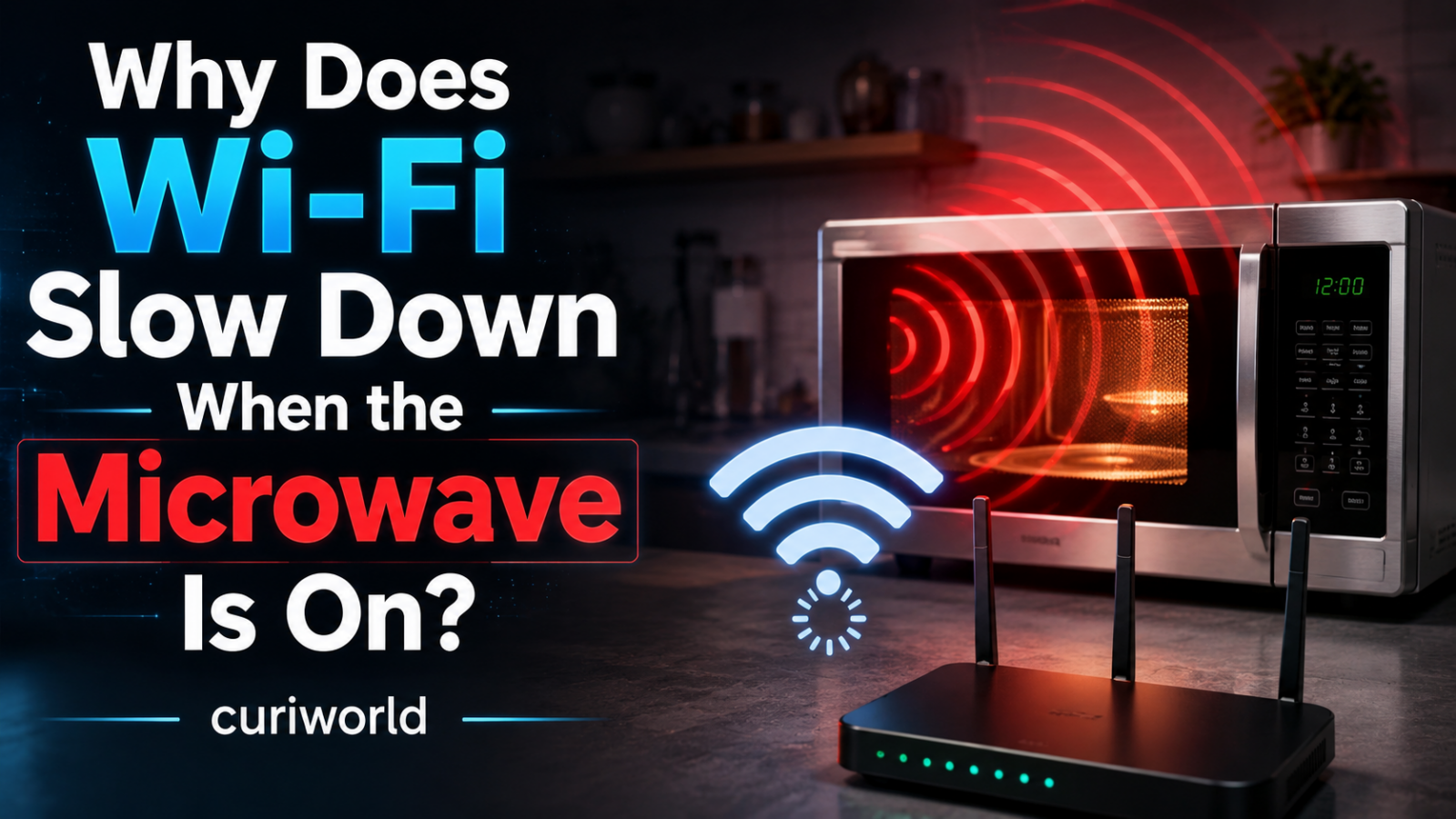
Your internet connection is working perfectly. Then someone starts the microwave, and suddenly a video buffers, a call freezes, or a smart device drops offline.
The microwave is not stealing your internet connection.
The problem is radio interference.
Most microwave ovens operate around 2.45 GHz, almost directly inside the same crowded part of the radio spectrum used by 2.4 GHz Wi-Fi. A small amount of electromagnetic energy from an operating microwave can therefore interfere with nearby Wi-Fi signals, making devices resend data and slowing the connection.
The effect mainly concerns 2.4 GHz Wi-Fi. Devices connected through 5 GHz or 6 GHz Wi-Fi are usually much less affected because they operate on very different frequencies.
Can a Microwave Really Slow Down Wi-Fi?
Yes—but mainly when the device is using 2.4 GHz Wi-Fi.
Microwave ovens commonly generate energy around 2.45 GHz, which sits inside the same general part of the radio spectrum used by 2.4 GHz Wi-Fi.
If enough unwanted radio energy reaches a nearby Wi-Fi device, the wireless signal can become harder to decode.
Packets may need to be retransmitted, which can cause:
- slower downloads,
- video buffering,
- frozen calls,
- higher latency,
- or temporary disconnects.
The microwave is not slowing the internet connection coming into your home.
It is interfering with the wireless link between your device and the router.
Your Microwave and Wi-Fi Are Uncomfortable Neighbors
Wi-Fi does not travel through your home as a stream of invisible internet data.
If Wi-Fi is weak mainly because of distance, walls or room layout—even when the microwave is off—see why Wi-Fi works in one room but not another.
Your router converts information into radio signals and transmits them through specific frequency bands.
One of the most widely used is the 2.4 GHz band, which covers frequencies roughly between 2.4 and 2.5 GHz.
A typical microwave oven generates electromagnetic energy at approximately 2.45 GHz to heat food.
That overlap is the key.
Microwave ovens and Wi-Fi routers are designed for completely different jobs, but they can occupy neighboring parts of the same radio-frequency environment.
Cisco’s wireless engineering guidance specifically lists microwave ovens among the non-Wi-Fi technologies capable of interfering with Wi-Fi operation in the 2.4 GHz band.
The microwave does not need to understand Wi-Fi or transmit recognizable data. From the router’s perspective, unwanted radio energy is simply noise competing with the signal it is trying to receive.
Why Does a Microwave Affect 2.4 GHz Wi-Fi More Than 5 GHz?
The answer is frequency overlap.
Microwave ovens operate close to 2.45 GHz.
A 2.4 GHz Wi-Fi network uses frequencies in that same general neighborhood, so unwanted microwave energy can overlap with the signals the Wi-Fi receiver is trying to detect.
5 GHz Wi-Fi operates much farther away in the radio spectrum.
Because there is no comparable frequency overlap, microwave interference is usually far less noticeable on a 5 GHz connection.
The same logic also applies to 6 GHz Wi-Fi.
That is why switching an affected device from 2.4 GHz to 5 GHz is often the simplest test and one of the most effective fixes.
But Isn’t the Microwave Supposed to Keep the Radiation Inside?
Yes.
A microwave oven is built as a shielded metal enclosure specifically designed to keep microwave energy inside the cooking chamber.
The mesh visible through the door is part of that shielding. Its holes are small enough to block the microwave frequencies used for cooking while still allowing you to see the food.
Modern microwave ovens are also subject to strict safety standards governing radiation leakage.
But electromagnetic shielding does not need to fail catastrophically for Wi-Fi interference to become noticeable.
A Wi-Fi receiver is trying to detect relatively weak radio signals. Even a small amount of unwanted radio-frequency energy nearby can make that job more difficult without approaching levels considered dangerous to people.
That distinction matters:
Wi-Fi interference does not automatically mean your microwave is dangerously leaking radiation.
The U.S. Food and Drug Administration regulates microwave oven radiation emissions and sets strict limits throughout an oven’s useful life. It also advises consumers not to use a microwave if its door, hinges, latches, or seals are damaged.
So a microwave disrupting Wi-Fi is primarily a communications problem—not evidence by itself of a health hazard.
Why Does Interference Make Wi-Fi Slower Instead of Simply Turning It Off?
Wi-Fi is designed to operate in a noisy environment.
When your laptop sends information to the router, the data is divided into packets. The network expects those packets to arrive correctly.
If interference corrupts part of a transmission, the missing information may have to be sent again.
A few retransmissions are barely noticeable.
A large amount of interference can produce:
- slower downloads;
- higher latency;
- frozen video calls;
- buffering streams;
- lag during online games;
- temporary disconnections;
- smart-home devices appearing offline.
Your internet service itself may still be perfectly healthy.
The bottleneck is the short wireless connection between your device and the router.
That is why restarting your modem or calling your internet provider may accomplish nothing if the slowdown happens only while the microwave is running.
Why Is 2.4 GHz Wi-Fi Affected More Than 5 GHz?
Because the frequencies are different.
A microwave centered around approximately 2.45 GHz sits directly inside the neighborhood occupied by 2.4 GHz Wi-Fi.
The 5 GHz Wi-Fi band operates much higher in the spectrum.
Wi-Fi 6E and newer equipment can also use the 6 GHz band where supported.
Moving a device from 2.4 GHz to 5 GHz can therefore make microwave interference disappear almost instantly.
That does not automatically make 5 GHz better in every situation.
Higher-frequency Wi-Fi generally has a harder time traveling long distances and penetrating walls than 2.4 GHz. A device in a distant bedroom may therefore get a stronger connection on 2.4 GHz even though that band is more vulnerable to household interference.
This creates a practical trade-off:
2.4 GHz: longer range, more interference
5 GHz: shorter range, usually cleaner spectrum
Modern routers often use both.
Why Doesn’t Every Microwave Ruin Wi-Fi?
Several variables have to line up before the effect becomes obvious.
Distance
Radio energy weakens rapidly with distance.
A router sitting directly beside a microwave has a much harder job than one located across the house.
The same applies to your laptop or phone.
If you are using a weak 2.4 GHz connection in the kitchen while the microwave operates a few feet away, interference may be obvious.
Move into another room and it may disappear.
Router placement
Where the router sits can matter as much as which router you own.
Placing a wireless router beside a microwave, behind a refrigerator, inside a cabinet, or among large metal appliances creates an unnecessarily hostile environment for Wi-Fi.
A central, elevated, open position is usually better.
The strength of the Wi-Fi signal
Interference becomes more damaging when the wanted signal is already weak.
Suppose your device barely receives the router from the other side of the house.
Adding microwave interference may be enough to make the connection unreliable.
If Wi-Fi is weak mainly because of distance, walls or room layout—even when the microwave is off—see why Wi-Fi works in one room but not another.
A device sitting close to the router may continue working because its Wi-Fi signal is much stronger relative to the unwanted noise.
The microwave itself
Microwave ovens vary in construction, age, condition, and shielding.
A damaged door or deteriorated seal can be a safety concern and deserves attention regardless of Wi-Fi performance.
But even a properly functioning appliance can coexist badly with a weak 2.4 GHz connection under the right conditions.
Why Can the Problem Come and Go Every Few Seconds?
You might notice something even stranger: Wi-Fi slows down, recovers briefly, slows again, then returns to normal when the microwave finishes.
That behavior can reflect the way the oven controls cooking power.
Some microwave ovens do not continuously reduce the strength of the magnetron when you select a lower power setting.
Instead, they cycle the microwave generator on and off.
For example, the magnetron may operate at full power for part of a cycle and then switch off temporarily.
If your Wi-Fi problem appears only during the magnetron’s active periods, the connection can seem to pulse between normal and terrible performance.
That is a useful clue that the microwave really is the source of interference.
Would Changing the Wi-Fi Channel Help?
Possibly, but it is not the most reliable solution.
The 2.4 GHz Wi-Fi band is divided into channels. In the United States and many other deployments, channels 1, 6, and 11 are commonly used because their standard 20 MHz configurations do not overlap one another.
Microwave interference, however, is not necessarily confined to one neat Wi-Fi channel.
Its emissions can spread across part of the 2.4 GHz band.
Changing channels may improve the situation in a particular home, especially if the microwave affects some frequencies more heavily than others.
But there is no universal “microwave-proof Wi-Fi channel.”
If your devices support it, moving them to 5 GHz is usually the cleaner solution.
How Do You Stop a Microwave From Interfering With Wi-Fi?
Start by testing whether the affected device can use 5 GHz Wi-Fi.
If the problem disappears as soon as the device moves from 2.4 GHz to 5 GHz, that is strong evidence that radio interference—not your internet provider—is responsible.
If your router offers both 2.4 GHz and 5 GHz networks, connect affected devices to 5 GHz and test the microwave again.
For laptops, phones, televisions, streaming devices, and game consoles that are reasonably close to the router, this may solve the problem immediately.
Some modern routers combine both bands under one Wi-Fi name and automatically decide which band a device should use.
If your device keeps falling back to 2.4 GHz, your router settings may allow you to separate the bands temporarily for testing.
If the problem disappears on 5 GHz, you have strong evidence that 2.4 GHz interference was responsible.
If switching bands is not possible, try these steps:
- move the router farther away from the microwave and other large appliances;
- avoid placing the router inside a cabinet or directly behind metal objects;
- improve the Wi-Fi signal strength where the affected device is used;
- test a different 2.4 GHz channel;
- use Ethernet for devices that need a consistently stable connection.
No single fix is guaranteed in every home because the amount of interference depends on distance, shielding,
Move the Router Before Buying a New One
People often respond to unreliable Wi-Fi by buying a new router.
Sometimes the cheaper solution is moving the one they already have.
Avoid placing the router:
- beside or above the microwave;
- behind a refrigerator;
- inside a closed cabinet;
- on the floor;
- surrounded by metal objects;
- in a distant corner of the home.
Try to keep it reasonably central and away from major sources of radio interference.
Even moving a router a few feet can change how well its signal reaches the rest of the home.
If relocating the router is impossible, a properly planned mesh Wi-Fi system or additional access point can help provide stronger 5 GHz coverage in areas where devices would otherwise fall back to 2.4 GHz.
Ethernet Ignores the Microwave Completely
There is another solution that is not affected by wireless radio interference at all.
A cable.
Ethernet carries the network connection through physical wiring rather than through the 2.4 GHz radio spectrum.
For devices that do not move—desktop computers, game consoles, televisions, or home-office equipment—a wired connection can eliminate an entire category of wireless problems.
It may not be glamorous, but it remains one of the most reliable networking technologies in the house.
What If the Interference Suddenly Becomes Much Worse?
A microwave that has always caused a little Wi-Fi disruption is different from one that suddenly creates severe interference while also showing physical damage.
Look at the appliance itself.
The FDA advises against using a microwave if the door does not close firmly or if the hinges, latches, seals, or door are damaged.
Do not attempt to modify the door, defeat safety interlocks, or disassemble the microwave to investigate Wi-Fi interference. Microwave ovens contain high-voltage components and are not suitable for casual repair.
If there is visible damage or you suspect a safety problem, stop using the appliance and contact the manufacturer or a qualified technician.
Your Internet Probably Isn’t the Problem
The strangest part of microwave-related Wi-Fi trouble is that nothing may actually be wrong with your internet connection.
Your modem may still be receiving full speed from your internet provider.
Your router may be operating normally.
The microwave may also be functioning within its required safety limits.
The trouble happens because two very different technologies operate in the same crowded slice of radio spectrum.
The microwave produces powerful electromagnetic energy for cooking. Wi-Fi is trying to detect comparatively delicate radio signals carrying data. If enough unwanted energy reaches the receiver, packets are lost, retransmissions increase, and your connection feels slower.
Move the Wi-Fi connection to 5 GHz, increase the distance between the router and microwave, or use Ethernet, and the mystery often disappears.
The microwave was never eating your internet.
It was simply making too much radio noise for your Wi-Fi to hear clearly.
Sources
Cisco — Wireless RF Reference Guide
https://www.cisco.com/c/en/us/td/docs/wireless/controller/9800/technical-reference/wireless-rf-reference-guide.pdf
U.S. Food and Drug Administration — Microwave Ovens
https://www.fda.gov/radiation-emitting-products/resources-you-radiation-emitting-products/microwave-ovens






Join the discussion